Since all of these issues are already open for a while, the threads mention a few ways to implement the respective behavior on the application side overwriting the existing status checks.
In particular, there is also this library that combines these features and allows to use them for any health check via annotation: https://github.com/antoinemeyer/spring-boot-async-health-indicator
Note that it still would need you to overwrite any existing status checks to apply the different behavior to them (and disable the default version).
I automated it via Google Sheet App Scripts, was quite lengthy path, to retrieve apps, then localizations, then locales, then patch each localization locale with translated text, thanks to Google Sheets covering both automation and translation for free.
in my experience, training using 400 labels with only 900 images 'which mean only 2-3 image' per-label (i see several label have only one image in train dataset or test dataset) is quite challenges for model able effective learning and generalization.
even if you can find the perfect fine tuning of the model somehow, it's still have high possibility to became over-fitting model, which is a sign of bad model. It only remember several image in training, not learning the important features.
my recommendation is :
Collect more data, in AI what ever it is having more (*and good quality) is always preferable
reduce the labels, i don't know how many data for each label in the pre-training model, but it's better to have the similar number of data to give a balance dataset composition
if you have problem with gathering data, then do augmentation on the image, there is several option of augmentation like saturation change, rotated, temperature change, etc.
I made an article on setting this up after figuring it out for Android and Windows. It does not require a client secret and implements PKCE if anyone is interested.
On Windows 10, I just copied the content from the folder "bin" in the installation package here "https://www.gyan.dev/ffmpeg/builds/" in Python\Scripts and Python\Libs and that worked.(Python\ is my folder for python, I changed the name when installing it)
Search all your project "_WIN32_WINNT" and "WINVER". Change the value to 0x0A00
#define _WIN32_WINNT 0x0A00 // Target Windows 10
#define WINVER 0x0A00
This variable is the target version for Windows you are plaining to build. Because the visual studio you are using having a new version but you software running with the old version requirement. So you need to add this. Then compiler can look up the correct library in Visual Studio
Acknowledge Knowledge Or Be Bacon with Bolongna...~•Homeschooler @QuickFin772m.me
This DropOut Character Acting dumb is enough. I'm tired of the verify your identity mechanic malfunction... ChanceyWishbone collectorsReservedcemts
206M
I think the best way (at least that worked for me on Ubuntu 24) is to copy from Editor:Font Family setting, so 'JetBrainsMonoNL Nerd Font Mono', 'monospace', monospace
pytest rely on django migration files.
check these files.
if your app is published on the cloud but test is local, keep migrations synchronized
pytest 依赖于 Django 迁移文件。
检查这些文件。
如果您的应用程序在云上发布,但测试是本地的,请保持迁移同步
Make sure that the file index.htm exists in the correct directory where Node.js is trying to access it. Verify the path to ensure there are no typos or mismatches. If you are using a relative path, confirm that the index.htm file is in the expected directory.
Check also the file extension, file permissions, and the server logs for more details !
For my purposes (to circumvent the need for a client secret that aren't safe in a native app), I ended up going a different route using a temporary local http server. See this article I made that works with windows and android: .NET MAUI Google Drive OAuth on Windows and Android
This is not databricka setup but setting up spark environment on local machine and use pyspark for local development
Only diff is databricks always you can spark instance whereas local you need to create spark instance first to do any code
Setup cam differ slightly based on whether wants to be on Windows or Unix.
Windows some tweaks needed for dbutils and if you want save delta tables locally then there are packages and jars to do it.
Unfortunately, it is about 16 hours gone and no one has give me answer of my problem.
However, I solved this problem and implemented quill text editor with custom fonts implementation in Next.js. Anyone wanted to get solution can visit my repo:
I was able to resolve this. The trouble seems to be that the original scikit-build with distutils did a lot on its own to include necessary f2py libraries, and I wasn't including the right.
The call to f2py, and subsequent code adding the library and linking it, should be this:
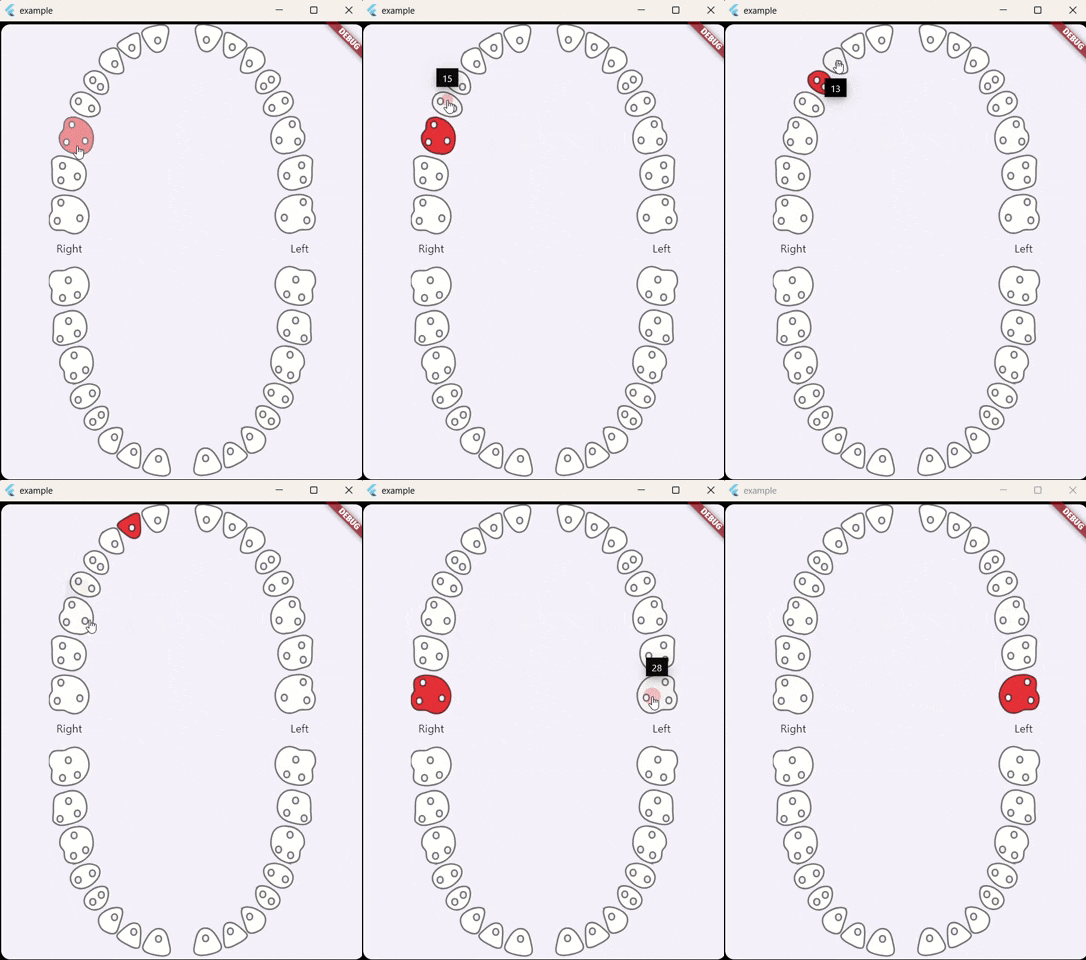
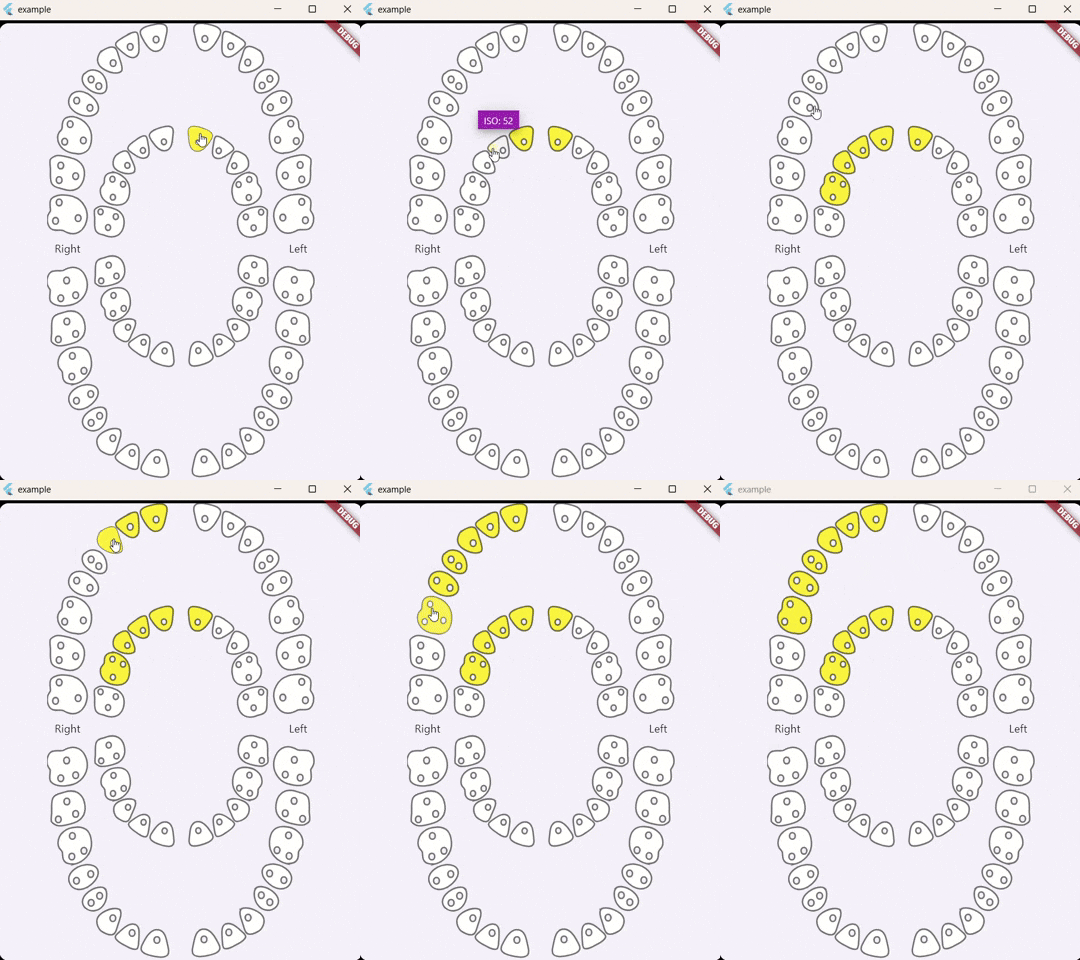
For anyone stumbling across this issue I've made a flutter widget that includes both primary and permanent teeth, Also, it can select single or multiple teeth.: https://github.com/alselawi/teeth-selector.
I am now relieved that I am not only person getting it. I try to build code set and since 2 days I have struggled with this error. Any findings how to resolve it?
Reasons:
RegEx Blacklisted phrase (1.5): how to resolve it?
Could you provide the log entries which shows that messages are missed?
It seems that the consumer commits the current offset, and then logs that it has consumed a message from the partition.
What could be happening is that after committing, the pod is terminated by (lets say) Kubernetes without giving your program enough time to finish logging out that it has consumed the message.
You can configure terminationGracePeriodSeconds as part of your pod deployment specification.
As part of your python program, you can also capture the SIGTERM event when your pod is asked to stop.
signal.signal(signal.SIGTERM, graceful_shutdown)
graceful_shutdown would be a method which would instruct your consumer handle any current messages it has received from kafka, commit it's offsets back, log out that it has handled those messages, and finally, gracefully stop the kafka consumer.
You should check in your code the dimensions of the target that you give to fit() and the dimensions of your model output (why 49). How is defined your train_dataset? Why not use one dense layer for the final layer of your model?
To handle bad messages in Kafka's Streams API, you can implement a strategy that involves creating a separate error topic. When a message fails processing, you can produce it to this error topic for later analysis. Additionally, consider using a try-catch block in your processing logic to capture exceptions and handle them gracefully. This way, you can log the errors and ensure that your main processing flow remains uninterrupted. Finally, make sure to monitor the error topic to address the issues with bad messages in a timely manner.
From the Messaging page you need to create a new campaign and then select to send a notification and then there will be a "Send test message" link and after you click on that you can add the FCM registration token
I'm definitely far from an expert, but if anything, my own research on the subject has led me to https://ieeexplore.ieee.org/document/8892116 and https://arxiv.org/abs/2305.06946 (among others), and there are clearly several trade-offs that will influence the result of such a benchmark : for some, Posit would need 30% more silicon area for similar??? functionality. For others, Posit32 should be compared to Float64 in terms of performance, so a win of 35% could be expected. But whether you implement a quire or only part of it in silicon will also be seriously impacting the performance. I personally chose to investigate another use case : using 16-bit (and 8-bit) Posits for the ATmega328 found in Arduino boards to replace float32 calculations for simplified RL algorithms. So in short, very likely your mileage will vary according to your domain of interest.
Oh BTW, Mister Feldman did write an article on Posit, he didn't make an implementation.
I ended up creating a temporary branch from the target branch (B). Then, I merged my original merge commit into the temporary branch, which re-applied the previous merge but only required me to resolve the new conflicts caused by updates to branch B. After resolving those conflicts and committing the changes, I switched back to the B branch and merged the updates from the temporary branch into it. Finally, I pushed the updated B branch to Gerrit, and the changes were successfully accepted.
I think saving your plots with graphic devices is the best option. You can check this post to learn how to do it. Basicaly, you can adjust the dimentions and resolution of your plot however you want. Be careful with the text sizes though, as they become smaller with bigger images sizes if you didn´t specify a unit when generating the plot.
In my case the solution was to go to the Apple Developer site and accept updated agreements. After that, Xcode was able to sign the packages as normally.
Have you tried using a listener on the chart? The you can wait to see upodates. Use the cordinates max and min, then scale the listened SVG update. Let me know if you find it helpful
Everything looks alright here, but you might be missing an argument when you render this template. Make sure that everything is being imported over there correctly. & By any chance can you share the rendered template code where the template gets rendered?
I found the problem. It is with the ShadcnUI lib. The element works in different ways that I don't have the explanation. But making a Button that changes the value "tipo" works normally.
If the HIDE_IN_BODY_DOCS tag is set to YES, Doxygen will hide any documentation blocks found inside the body of a function. If set to NO, these blocks will be appended to the function's detailed documentation block.
The missing step was pulling images from the docker hub. Thus, I decided to update the docker-compose down as following to remove all local images stored in my aws ec2 instance:
Вы выдали мошенникам сертификат ssl ,вашем именем входят доверие и обманывают людей в крипта рынке есть доказательства ихний действий , так как меня лично обманули на деньги , крипта рынок bittang.cc под ващей защитой обманывают людей , отберите у них свой сертификат не давайте мошенником сертификаты
In MacOS/Windows, go to VisualStudioCode and type CMD/crtl + p, then >
and search for "Shell Command: Install 'codium' command in PATH", it
will prompt for authorization to configure it within your system,
authorize it and you're done.
Unfortunately, this does nothing for me... when I search for "shell..." VSCodium shows "no commands found"
I can't find any help for this problem anywhere, so I think I'll have to reinstall and cross my fingers.
Adding the css attribute of height works. but for that you can use row like it states in the docs, which is the same thing as adding height. and use the other prop called autogrow to scale the area accordingly.
After reading a lot of answers about how to get local user name and a bunch of other unrelated things, I found that the answer is actually quite simple:
I have a question: how did you manage to create a legend in the Sankey diagram? And when you click on one of the legends, the step and all the steps built from it fall? Can you send a link to an example in echarts or codeandbox?
To create custom workflow activities in applications, it's essential to visualize the workflow structure effectively. Using visual tools like the Concept Map Maker can aid in designing workflows by offering a clear representation of the relationships between different elements in the workflow. It can also assist in structuring complex logic and showing how different activities interact, which can be particularly useful when planning custom activities for the Workflow Foundation. Has anyone tried using such visual tools to streamline their workflow design process? Would love to hear your experiences! eg- https://creately.com
You can simplify your question to partitioning a k-sized array into N smaller continuous subarrays. The task is to minimize the difference between the largest and smallest sum of the subarrays. This is a Multi-Way Number Partitioning Problem.
The basic trick is to read the array of numbers from the JSON as an ArrayNode and pass each of the 7 elements as int to LocalDateTime.of(). You will want to add validation that the array has length 7. And substitute the time zone where your JSON comes from. Also I am leaving to you to extend the code to handle the case where time zone is included in the JSON.
I have assumed a model class like this:
class MyModel {
    public ZonedDateTime timeOfAcquisition;

    @Override
    public String toString() {
        return "MyModel{timeOfAcquisition=" + timeOfAcquisition + '}';
    }
}
To try the whole thing out:
        String json = """
                {
                    "timeOfAcquisition":[2024,8,13,9,49,52,662000000]
                }""";

        ObjectMapper mapper = new ObjectMapper();

        SimpleModule module = new SimpleModule();
        module.addDeserializer(MyModel.class, new ModelDeserializer());
        mapper.registerModule(module);

        MyModel obj = mapper.readValue(json, MyModel.class);
        System.out.println(obj);
Are you sure you're running Spark in client mode and not in cluster mode? If it's cluster mode, the executors might not have access to the log4j2.properties file located on your local C://
what worked for me was to upgrade cocoapods globaly on my mac using brew and once that was done i did a pod update in my projects' ios file and all was well.
i). brew upgrade cocoapods (globaly on mac)
ii).pod update (in your projects ios folder)
After familiarizing myself with the Core Audio API (and noting that the only formats supported by both API's are exactly those supported natively by the audio device), I think it's obvious that:
Calling IAudioClient::Initialize with AUDCLNT_SHAREMODE_EXCLUSIVE will change the ADC output format.
Changing the shared mode audio format in the settings app will also change the ADC output format. You can retrieve the shared mode audio format from an IMMDevice through it's property store using the key PKEY_AudioEngine_DeviceFormat. So maybe it's possible to change this programmatically, by setting the IPropertyStore (or possibly by changing values in the windows registry).
I'm still a bit unclear of the behaviour of AudioDeviceInputNode when creating with AudioncodingProperties different from that shared mode format. Does it get exclusive access to the device, does it change the shared mode format, does it fail, or does it resample. And how to tell these apart?
Did you originally integrate with the CircleCI OAuth app and then add a pipeline with the new Github App? In my case I could start a pipeline but other users got that error. I asked CircleCI and this is what they said:
This is a known issue we're working on. The solution at the moment is to have each user go into Project Settings > Add Pipeline > Authorize. [...] We're working on making this more clear in the web app in the coming weeks and having a better solution other than going to Project Settings to click the "Authorize" button.
Referring to YBS and Limey, their approaches were helpful. What I did not understand is that while Shiny UI elements may feel like they behave similarly, their signatures do allow very different things. So even though HTML tags and useShinyjs() do not actually take up any space and are invisible elements, they are allowed in fluidRow, yet forbidden in navbarPage. For now, placing these in a submodule works fine. I have not tried whether this will break things once I add another module on the same hierarchy, but I am guessing wrapping the navbarPage in a fluidPage might fix that then.
TL;DR: place any calls to functions necessary for the application to function inside a fluidRow in any container other than a navbarPage (and probably tabsetPanel?).
I have exactly same situation as above.
After setting options to "acceptIfMfaDoneByFederatedIdp", google 2SV successful but azure keeps asking for its own MFA.
so it seems like azure does not know whether or not the login session went through google 2-step verification successfully
The best way that succeeded perfectly is opening old data.realm on old Realm studio that is compatible with your current V version then after upgrading the file move to next Realm studio version and upgrade the file again and keep this process gradually until reaching the desired V VERSION
are you able to send the documentation or process that you were able to create this API to post to Twitter? I have been trying for MONTHS to get this done, but have been unsuccessful.
Split query in terms of OR condition and these queries in parallel using application logic. If you can only run one query then use union-all. But remember union-all is same as running two queries sequentially.
From a cursory look over the page's markup, it seems that both dropdown controls have their own ul.dropdown-menu, so your second call to document.querySelectorAll('ul.dropdown-menu li a'); includes the "From" field's dropdown items as well as the "To" field's dropdown items. I would suggest either changing your selector to target the second control's menu specifically, such as by changing it to:
var toOptions = document.querySelectorAll('#mczRowD ul.dropdown-menu li a');
I'm a bot account. This answer was posted by a human to get me enough reputation to use Stack Overflow Chat.
You could try to always save the plot you are making when you finish it. So, instead of using the pane to visualize it, you directly go to your working directory to look for it. You can use the png() - dev.off() function combination to do so. Here is a complete answer on how to do that.
Well this is going to be detailed answer but I would like to share my experience in resolving the HTTP Error 500.19, specifically the internal server error code 0x8007000d. After considerable frustration and numerous attempts to implement various solutions found on platforms like Stack Overflow, YouTube and Microsoft Documentation, I was able to identify and fix the issue. Below is a detailed account of the steps I took in last 2 days:
Initial Troubleshooting Steps
Installed .NET 6 Hosting Bundle: Ensured that the necessary hosting components for .NET 6 were installed.
Installed .NET 6 SDK and Runtime: Verified that both the SDK and runtime were correctly installed to support the application.
Installed URL Rewrite Module: Added the URL Rewrite Module to manage URL routing effectively.
Installed ARR Module: Set up the Application Request Routing (ARR) module for load balancing and reverse proxy capabilities.
Revised Web.config: Reviewed and modified the web.config file for the application to ensure proper configuration.
Reinstalled IIS: As a last resort, I reinstalled Internet Information Services (IIS) to reset the environment.
Reconfigured Default Web Site: Recreated the Default Web Site in IIS along with all associated application pools.
Deleted and Recreated wwwroot: Cleared the C:\inetpub\wwwroot directory and set it up anew.
Published Application Locally: Built the application locally and deployed it to IIS as a new application.
Checked All Modules at Various Levels: Reviewed all installed modules across IIS, the Default Web Site, and the applications under the Default Web Site to ensure proper configuration and functionality.
Successful Resolution Steps
After extensive troubleshooting, I was able to identify the root cause of the issue through the following steps:
Installed .NET 6 Hosting Bundle: Confirmed the installation was successful.
Compared Web.config Files: Analyzed the web.config file of my application against a colleague's working version to identify discrepancies.
Reviewed ApplicationHost.config: Examined the ApplicationHost.config file, typically located at C:\Windows\System32\inetsrv\config.
Key Findings
I discovered that the .NET 6 Hosting Bundle was not installed correctly or completely. Specifically, I was missing the AspNetCoreModuleV2, which should be configured to the path:
%ProgramFiles%\IIS\Asp.Net Core Module\V2\aspnetcorev2.dll
Additionally, I found a missing section entry in the system.webServer section group:
I ensured that my application pool was set to "No Managed Code" for the CLR version, with Integrated Pipeline Mode and using the default application pool identity. I also disabled the option for 32-bit applications in the advanced settings for the application pool. - Finally, I granted the necessary permissions to the IIS_IUSRS user group for my application folder to ensure that IIS could access the web.config file.
Conclusion
After implementing these changes, I was able to successfully run the application on my system. I hope this detailed account of my troubleshooting process proves helpful to anyone facing similar issues.
I inspected your code and saw that you update the text in the textbox regularly. It probably blinks because how the textboxes work in Winforms, every time you update the text it paints the whole thing again. For example:
In this code we have a timer and the timers interval is 100. This means we update the text every 100 miliseconds. 100 miliseconds isn't a problem because it isn't too fast also we have just two lines of code inside the timer1_Tick function.
But I see 15+ lines in your timer and you didn't gave us information about the interval. If the interval is really low and with this lines blinking is normal.
The real solution here is simply optimising your code as much as possible and raise up the interval a bit, this will probably help. Do you really need all of that "if" statements? (I don't know because I don't know what the program does spesificly) Please let me now your timers interval and what this code does, than maybe I can find more solutions.
You can store token information in Secure Storage and request a new token when the old token is about to expire. When a new token is received, update information in Secure Storage. You can find a sample project in the following GitHub repository: Managing secured sessions